 Bean Counter
Press Kit
Bean Counter: Coffee Ratio, a brew ratio calculator and timer for iPhone.
Type any one number and Bean Counter gives you the other: the water for the coffee you have, or the coffee for the water you want. Then time the brew, with how much to pour at each stage on the Lock Screen, in the Dynamic Island, on Apple Watch and in CarPlay, log how it tasted, and keep track of your beans. The ratio calculator is free for good. Everything else is free to try for 14 days, then a one-time purchase with no subscription. Bean Counter collects no data and needs no account, and it’s made by one independent developer.
Facts
- Name: Bean Counter: Coffee Ratio
- Developer: Steven Orel
- Release date: November 10, 2026
- Current version: 2026.11.2, which says plainly that the free trial never charges when it ends, after 2026.11.1, which reads in full at the largest text sizes and has clearer VoiceOver labels, and 2026.11.0, the first update: recipe editing, scheduled brews, backups to share, Appearance and new app icons, the brew timer on Apple Watch and in CarPlay, and iPhone Duo support
- Platform: iPhone, including iPhone Duo, iOS 26 or later
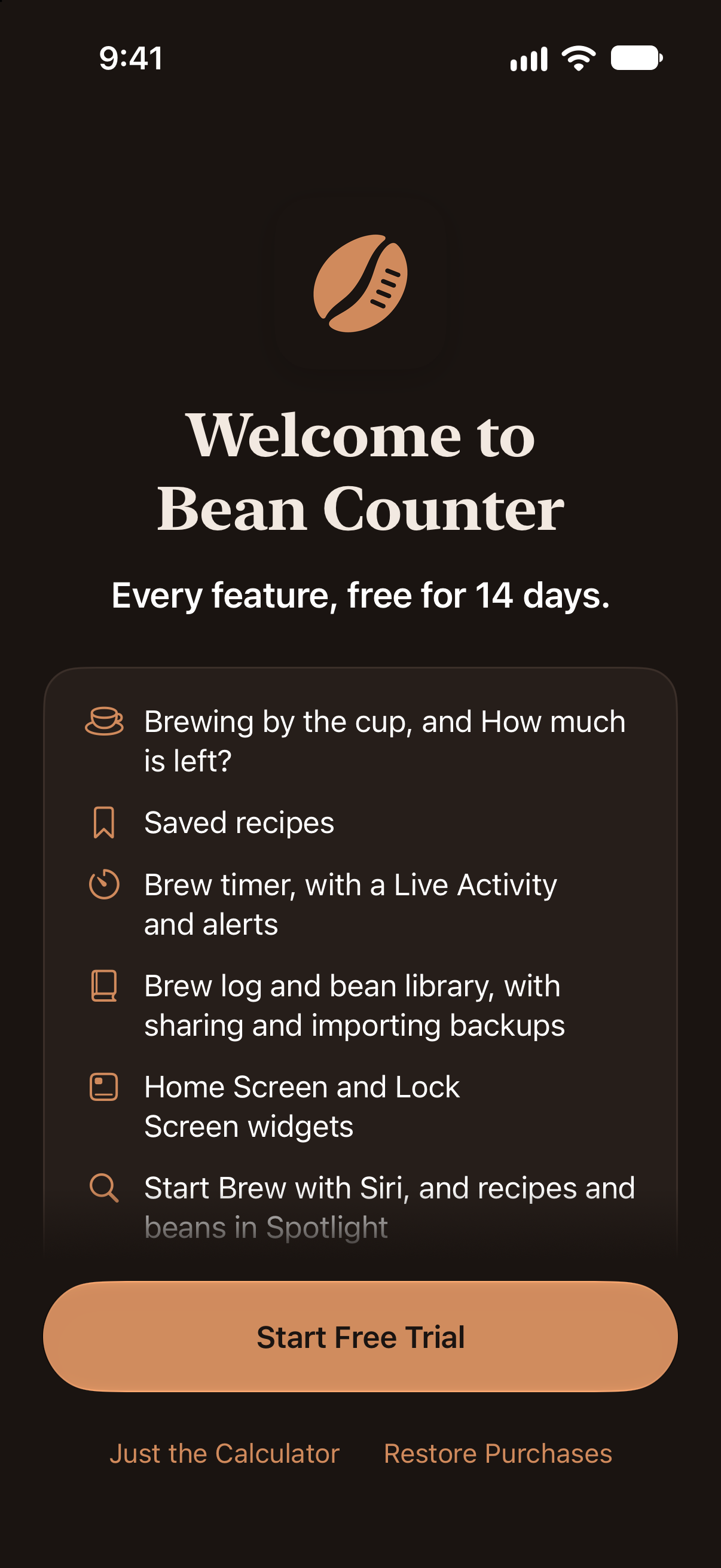
- Price: free to download, with a 14-day free trial of every feature. The ratio calculator stays free; Bean Counter Pro is a one-time $4.99 (US) purchase, with no subscription, and works with Family Sharing.
- Availability: the App Store in every country and region except the European Union, in English
- Category: Food & Drink
- Privacy: no data collected, no account, no ads and no tracking
- App Store: apps.apple.com/app/id6822134210
- Website: getbeancounter.com
Features
- The ratio calculator: coffee for your water or water for your coffee, at 1:15, 1:16, 1:17 or any ratio, in grams, fluid ounces (US or UK) or milliliters.
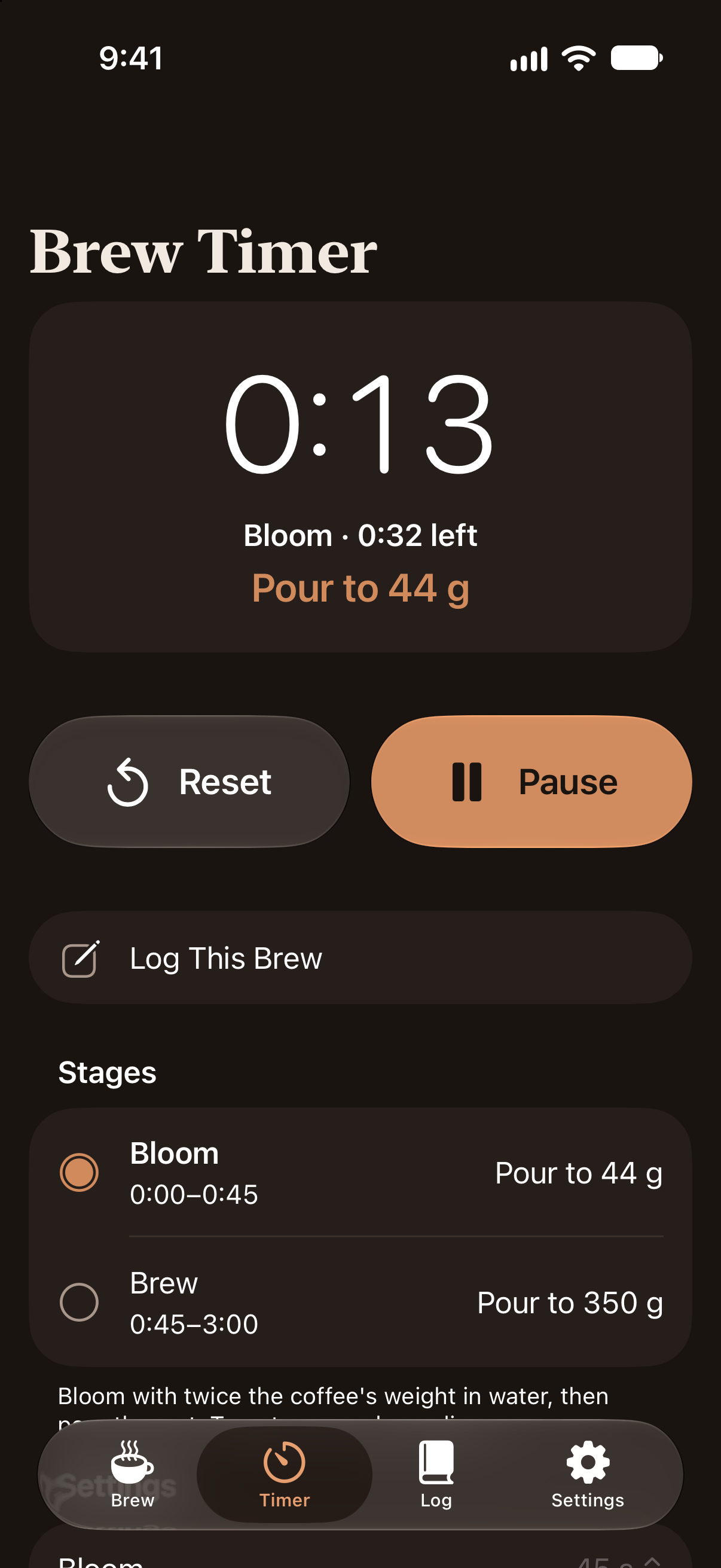
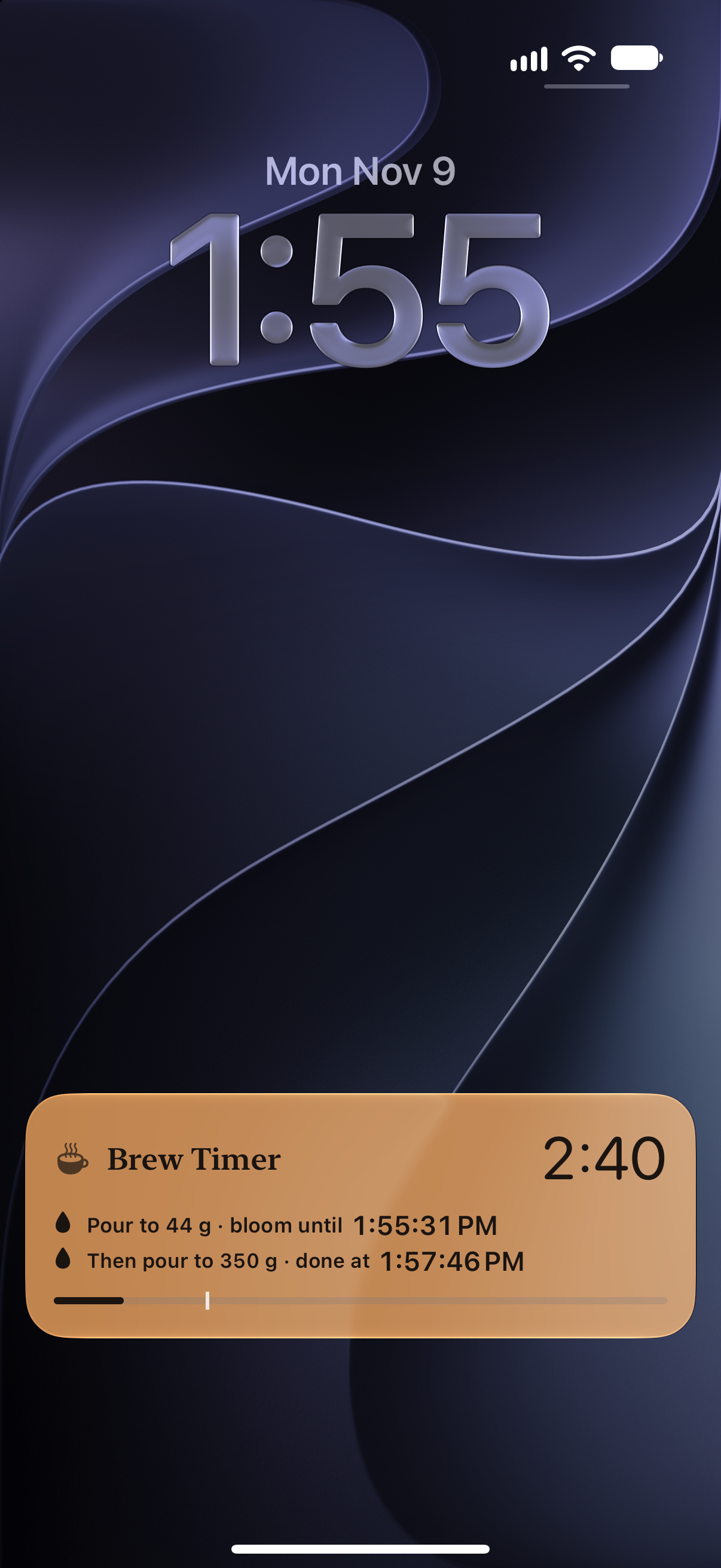
- A brew timer with a bloom and pour targets, haptic taps and its own chimes, and a Live Activity on the Lock Screen, in the Dynamic Island, in the Apple Watch Smart Stack and on the CarPlay Dashboard.
- Saved recipes with their own bloom and brew times, editable any time, and brewing by the cup.
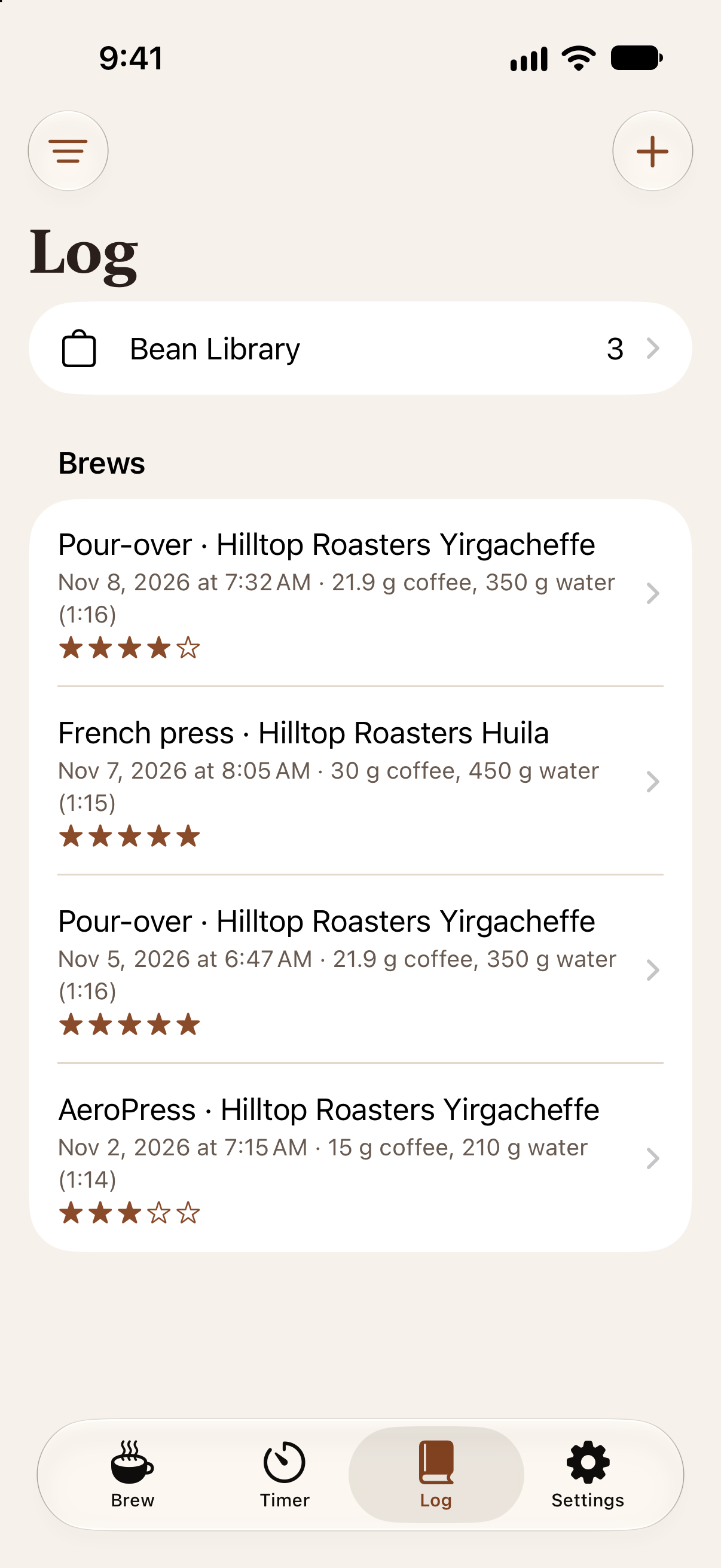
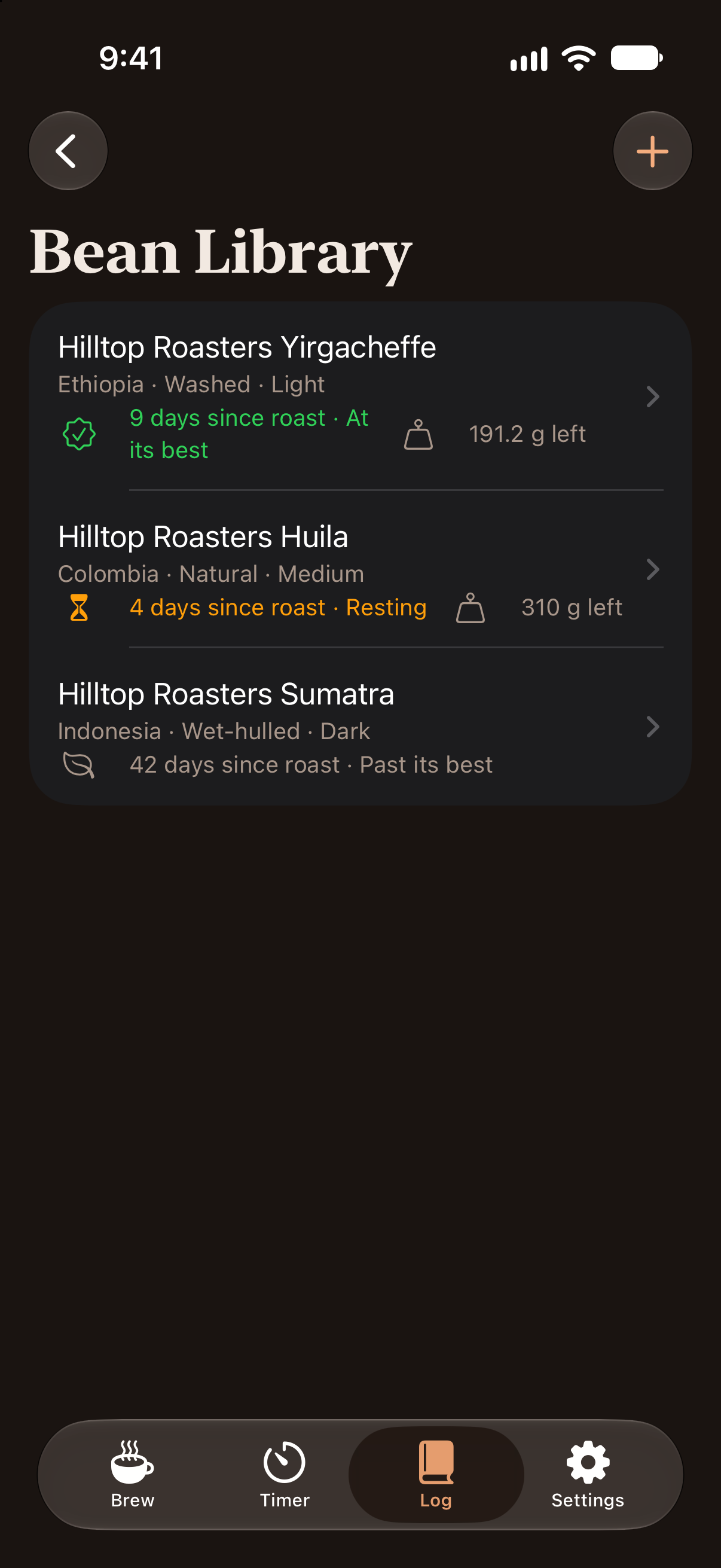
- A brew log and bean library with ratings, notes, roast dates, resting time and how much of the bag is left. Brews can be logged ahead of time, and backups saved to Files or shared.
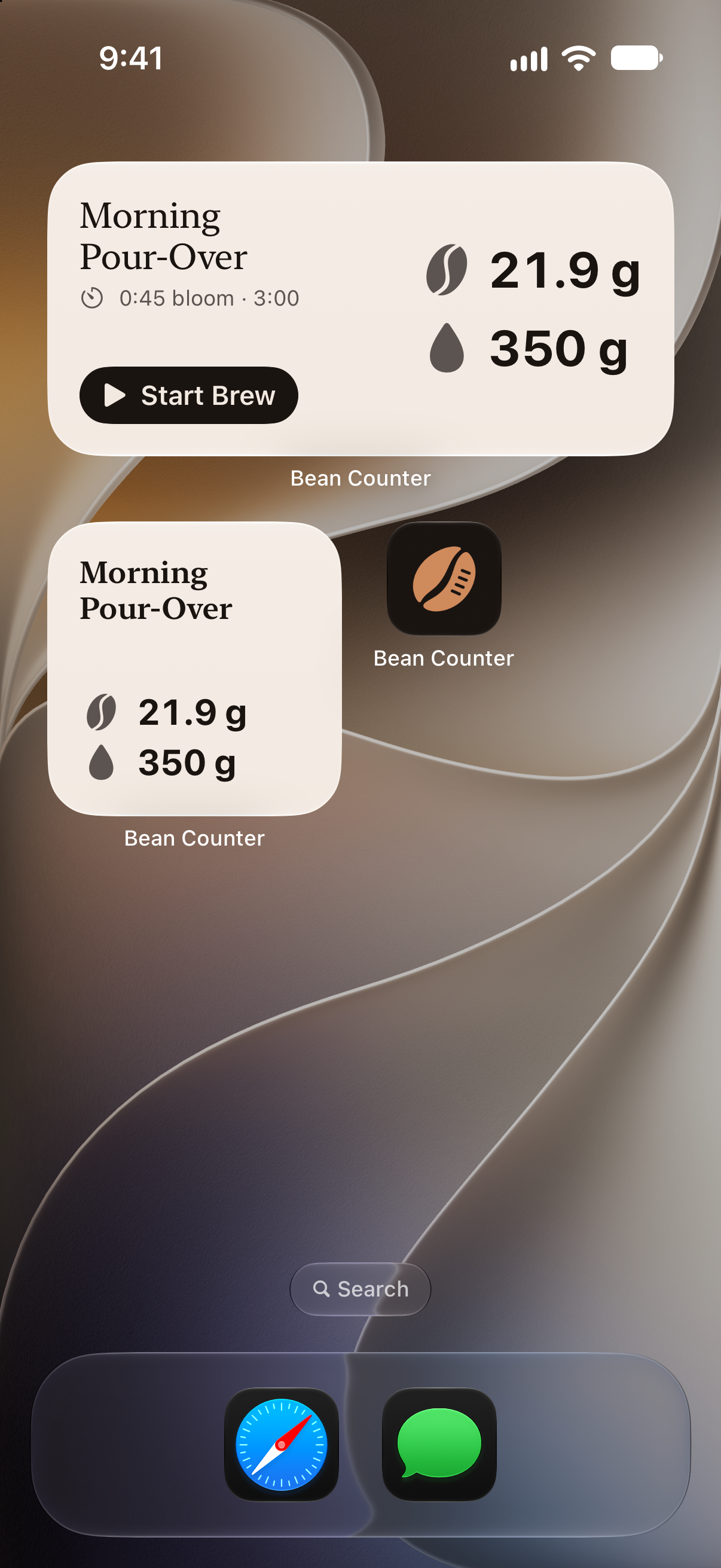
- Widgets for the Home Screen and Lock Screen.
- Siri, Shortcuts and Spotlight: “How much coffee in Bean Counter?” and “Start my V60 recipe in Bean Counter”.
- Make it yours: keep the app in light or dark whatever the iPhone is set to, and choose from four app icons.
- iPhone Duo: stand it half-open for tabletop brewing with a big clock on the top half, and open two windows that share one brew.
- Made for the latest iOS, with Liquid Glass, light and dark mode, Dynamic Type and VoiceOver.
App icon

Download the icon (PNG, 1024 × 1024).
Screenshots
The App Store screenshots, with their captions. Tap one for the full-size image, or choose plain for the screen without the caption or frame (PNG, 1206 × 2622).
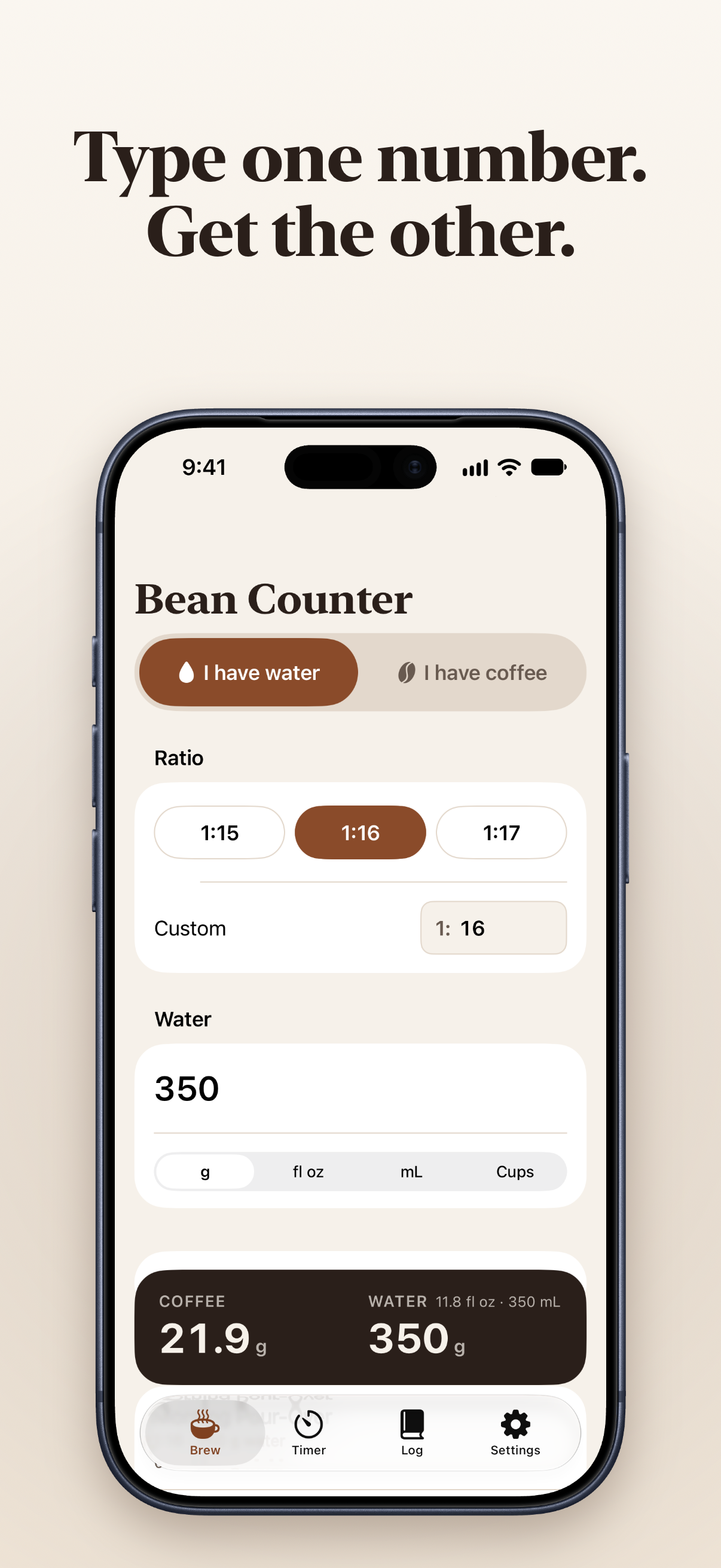 The calculator (plain)
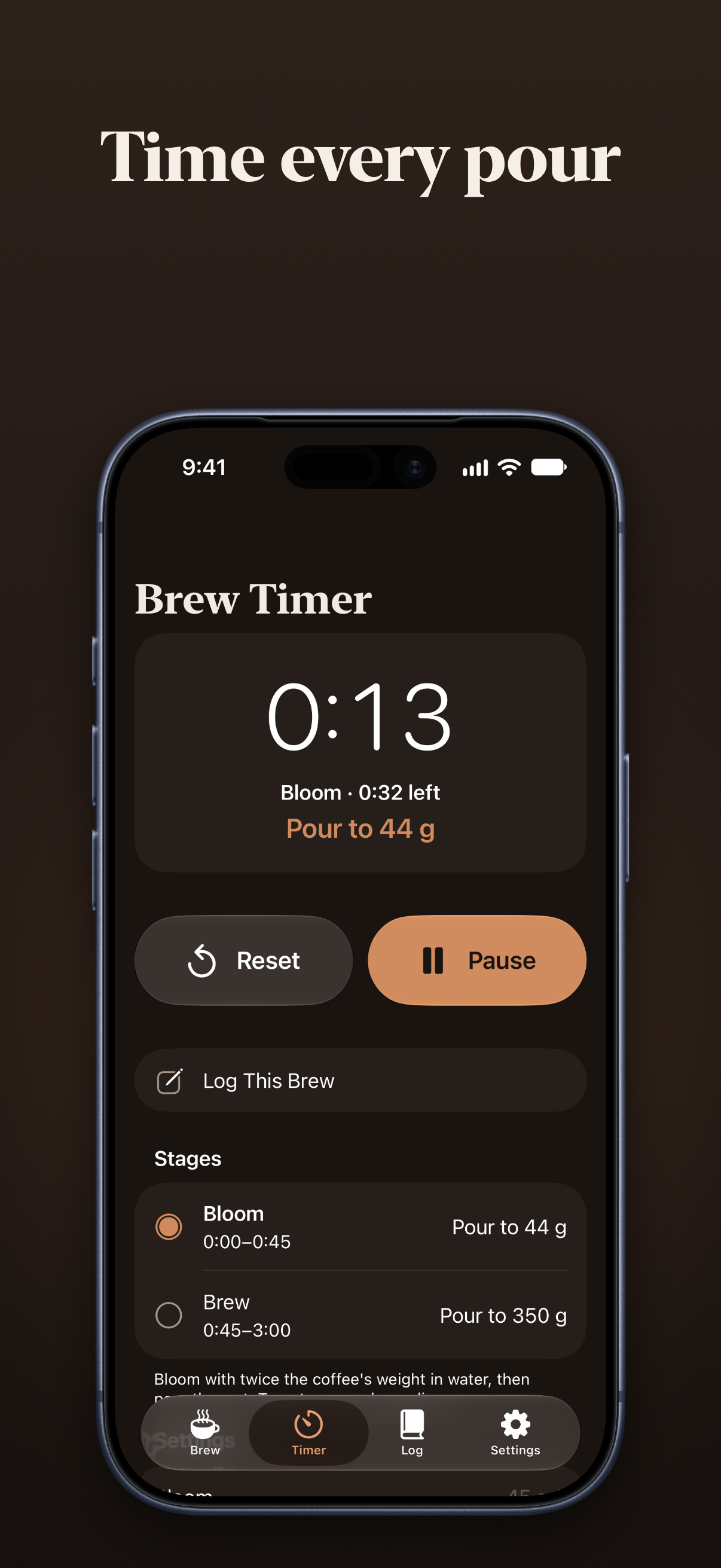 The brew timer (plain)
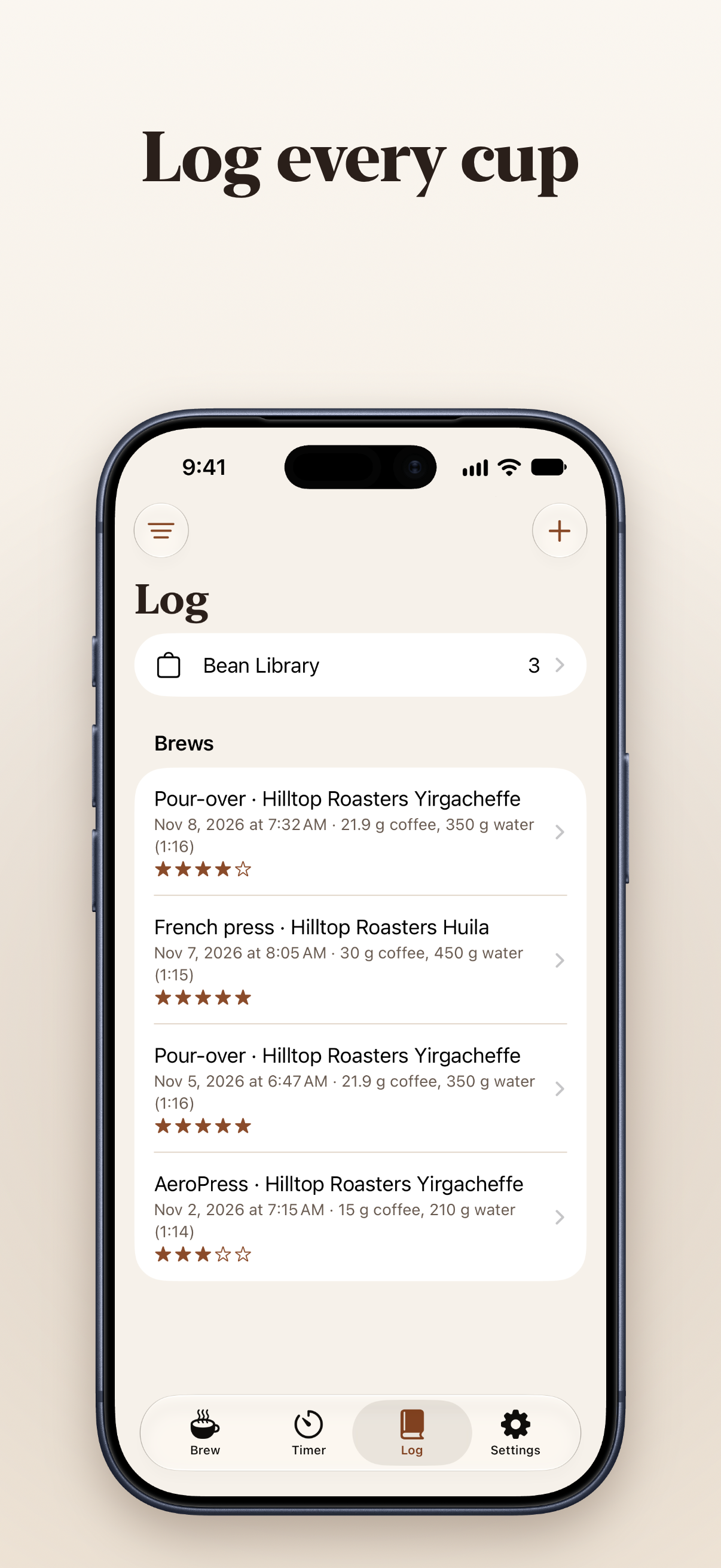 The brew log (plain)
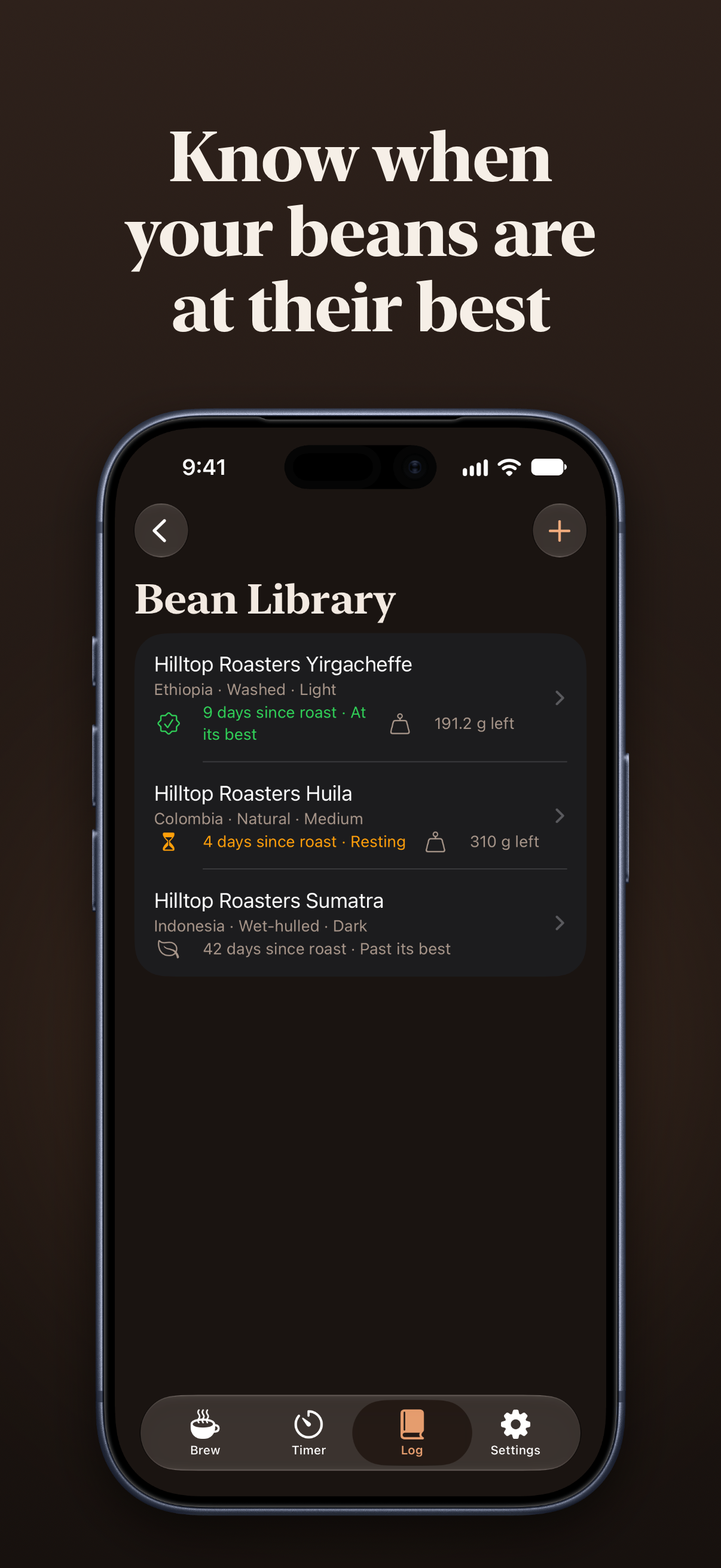 The bean library (plain)
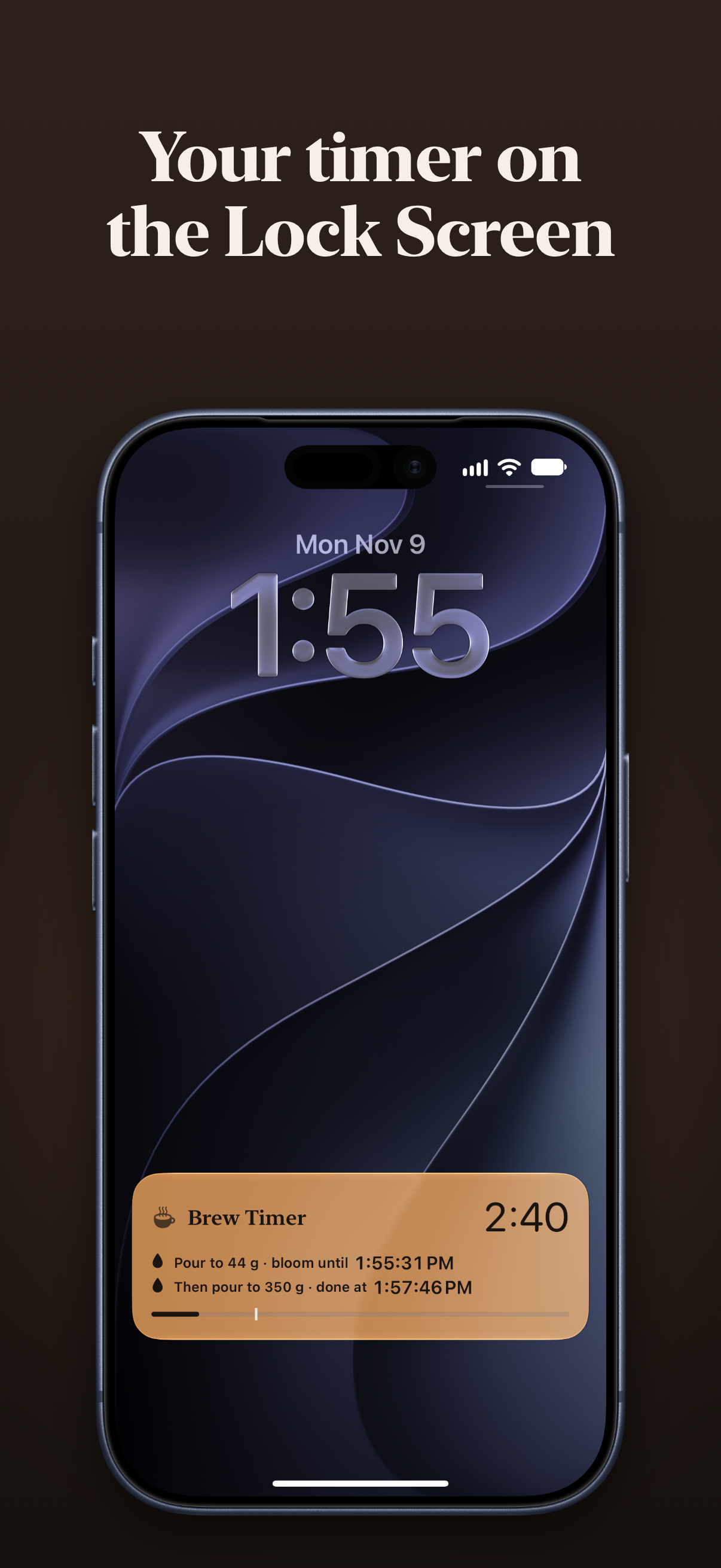 The Lock Screen timer (plain)
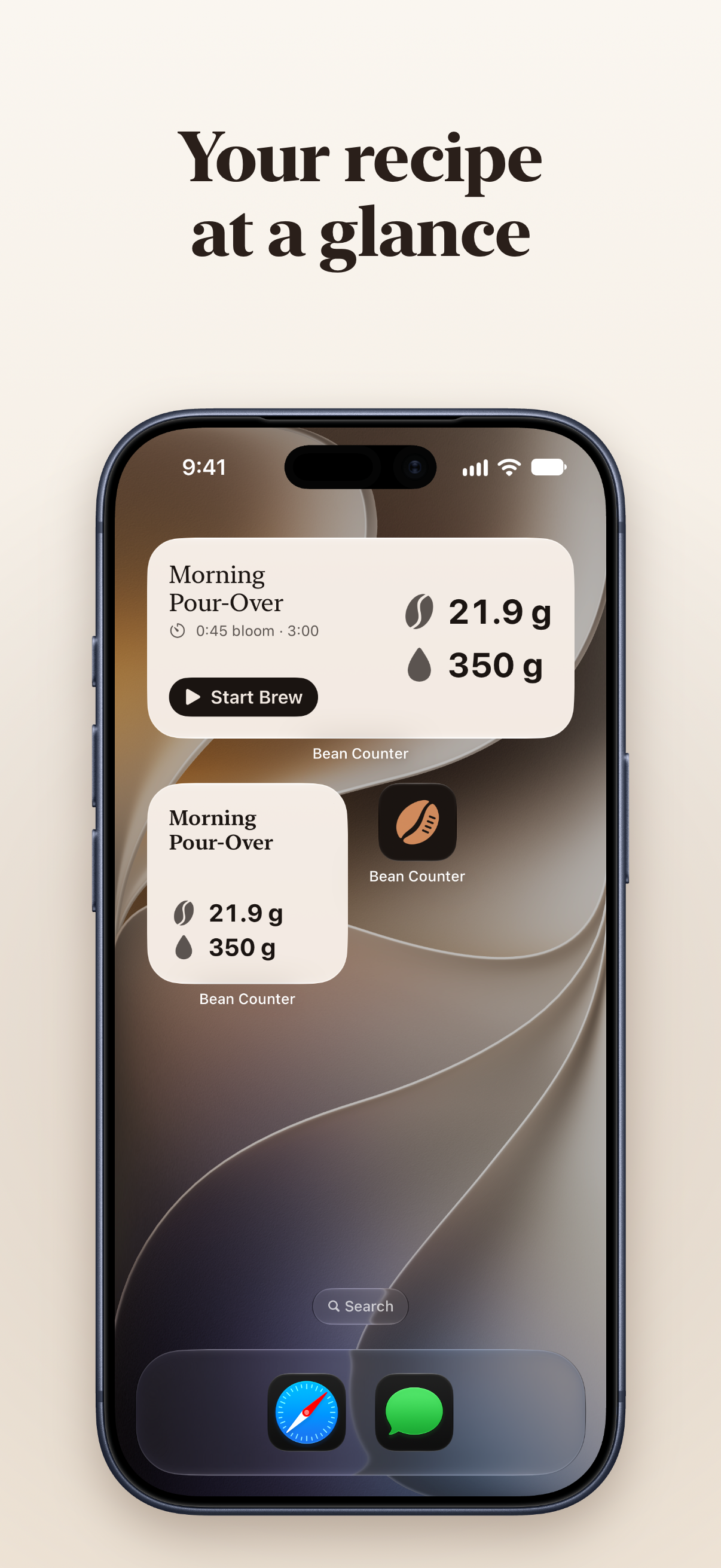 Widgets (plain)
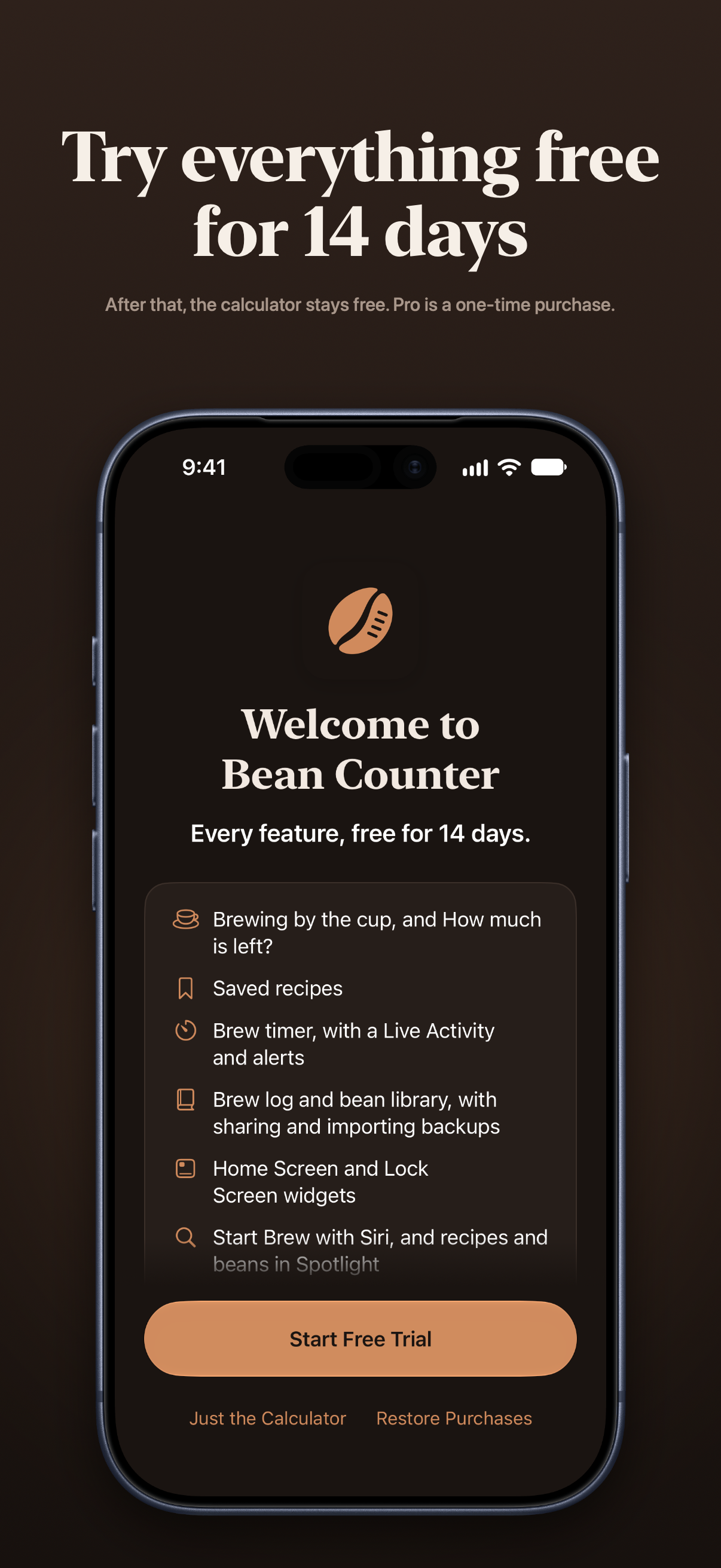 The free trial (plain)
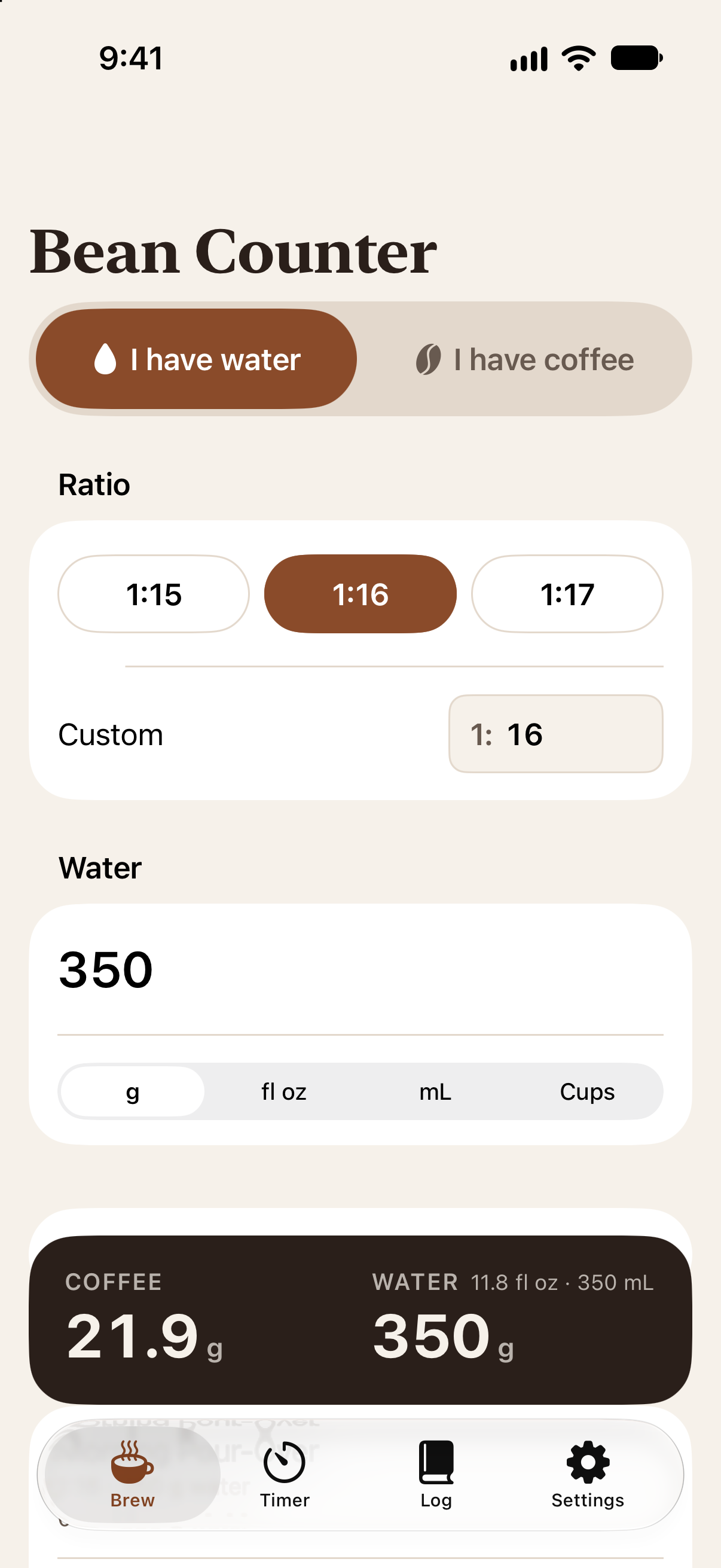
Contact
For interviews, review copies or anything else, email support@getbeancounter.com.